Hand2Note 4.1: Overview of key updates 2025–2026

Hand2Note is updated regularly, and each release brings something useful. If you compare the current version with the one from six months ago, the differences will be obvious even at a glance.
The developers have set up a system where new features are first evaluated by professional players. This approach filters out random decisions and retains only what truly helps at the tables. The program evolves not abstractly, but based on the real needs of users.
This article compiles the key changes over the past six months — those that deserve attention first and foremost.
Support for “Run it twice” tables
Full support for “Run it twice” table format (dealing community cards in two variations from one deck) has been added.
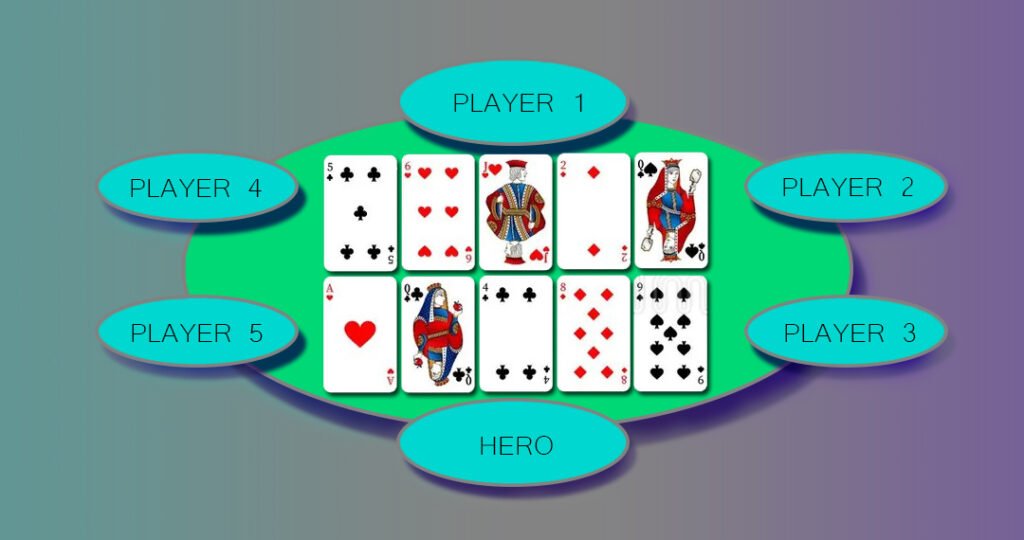
Errors that could cause hands to be lost or saved with distortions have been fixed. Now users have access to correct equity calculations (chances of winning) in such hands, as well as the ability to analyze them in detail using standard Hand2Note analysis tools: the “Reports” menu or filtering in “Game Types”.
New features in the replayer window
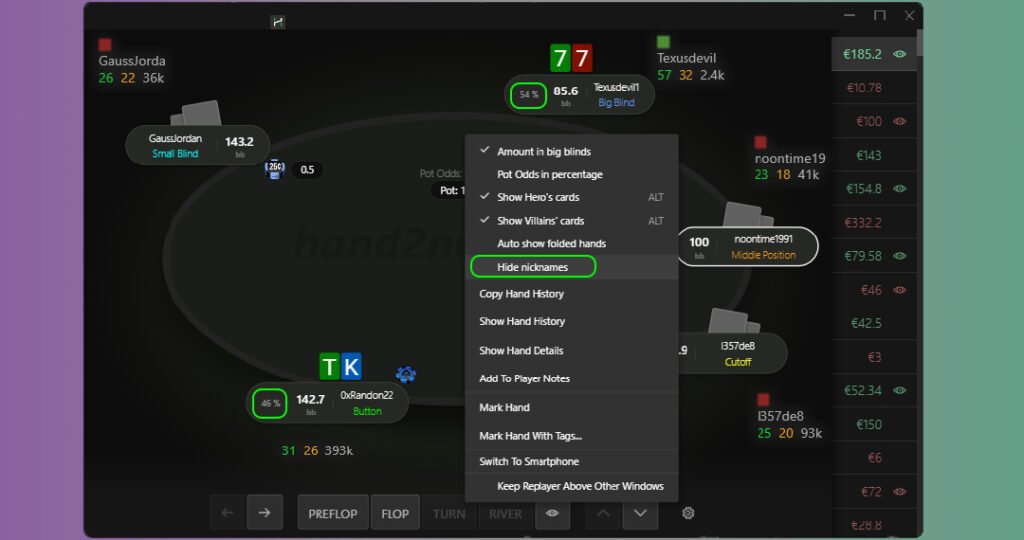
The Hand2Note replayer has become even more convenient. The update added two useful features: the ability to hide player nicknames (useful for creating training videos) and displaying equity (chances of winning) on each street. Now analyzing hands and working on mistakes is even easier.
Import notes from third-party trackers
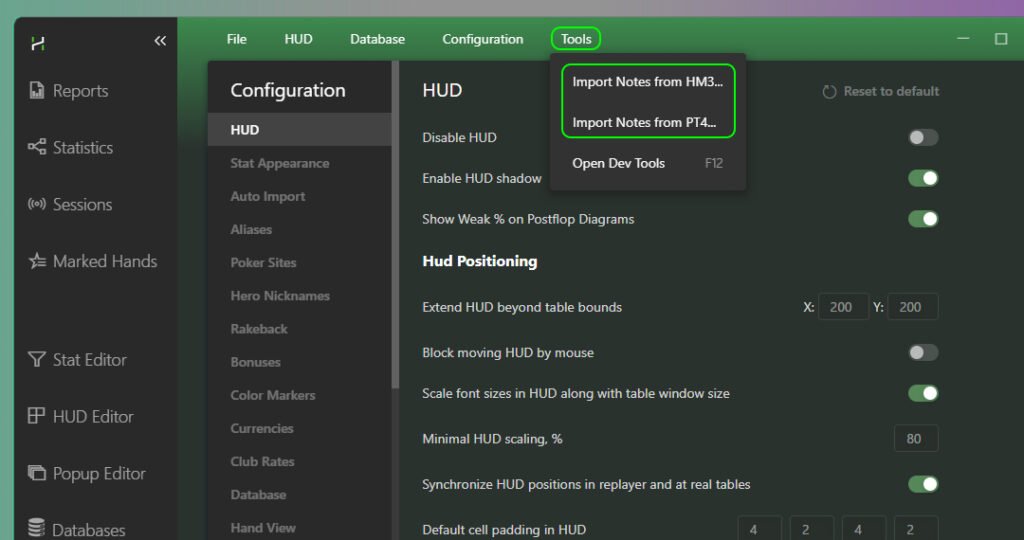
Good news for those who have decided to switch to Hand2Note or use multiple programs. A feature for importing notes from third-party trackers has been added. This means you won’t have to manually transfer notes on regulars and fish — all valuable information about opponents will be available in Hand2Note immediately after import.
Ante parameter refinement in “Game Types” settings menu
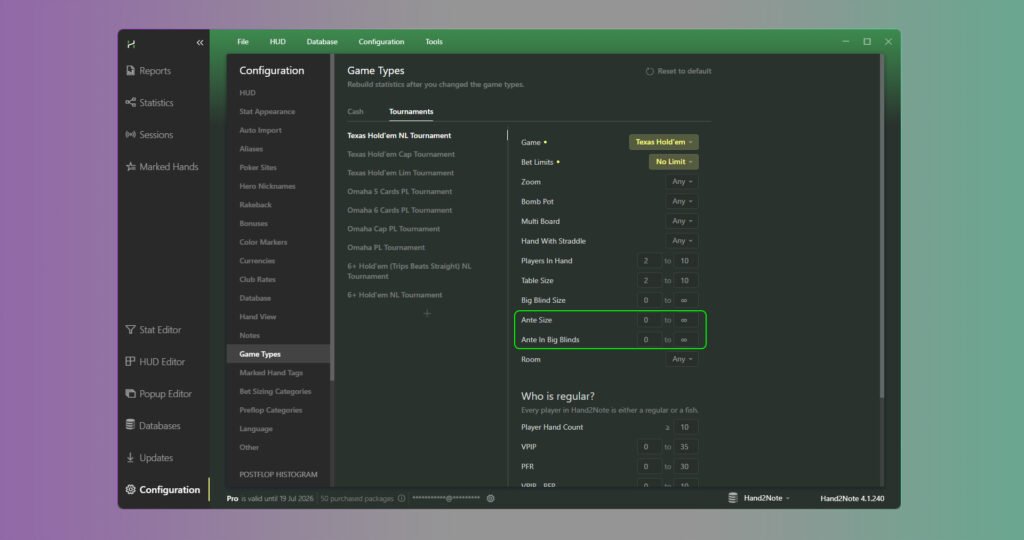
For more precise analysis settings in “Game Types”, filtering by ante has been added. Now you can separately study hands in games with and without ante, which is especially important for tournament players and cash enthusiasts with high structures.
Changes in the quick hand view function
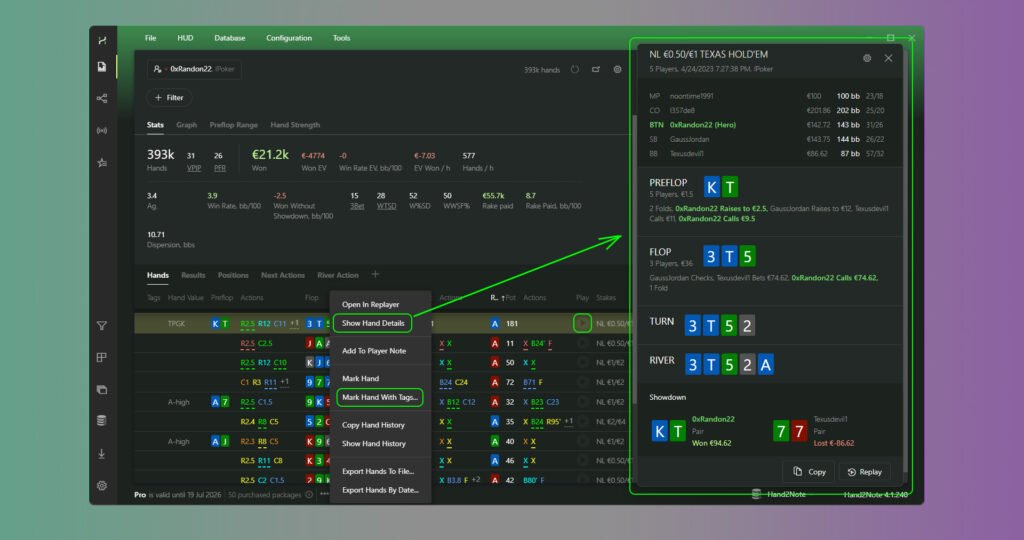
Working with marked hands has become even more comfortable. Now the Hand View window can be closed with a single mouse click inside the window. A quick replayer button (like in H2N3) has been added for instant hand viewing. In graphical view, the action itself is now displayed vertically — more familiar and visually clear. Finally, there is an option to export hands as plain text: convenient if you need to insert a hand into a forum or chat without extra markup.
Popups on stat have become more informative
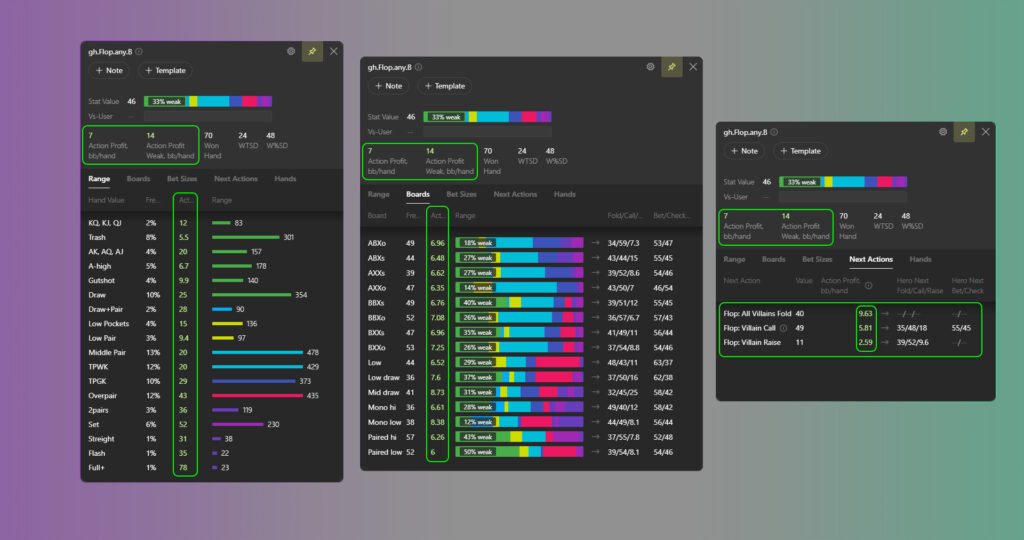
A new tab, Next Actions, has been added, where you can analyze the opponent’s possible further actions depending on the situation. Advanced metrics Action Profit Rate and Action Profit Weak Rate (profitability indicators of actions in bb/100) have appeared, helping to more accurately assess ranges and opponents’ mistakes. For convenience, these stats are also integrated into the Boards (board analysis), Bet Sizes (bet size analysis), and Range tabs.
Stat editor has become even more flexible
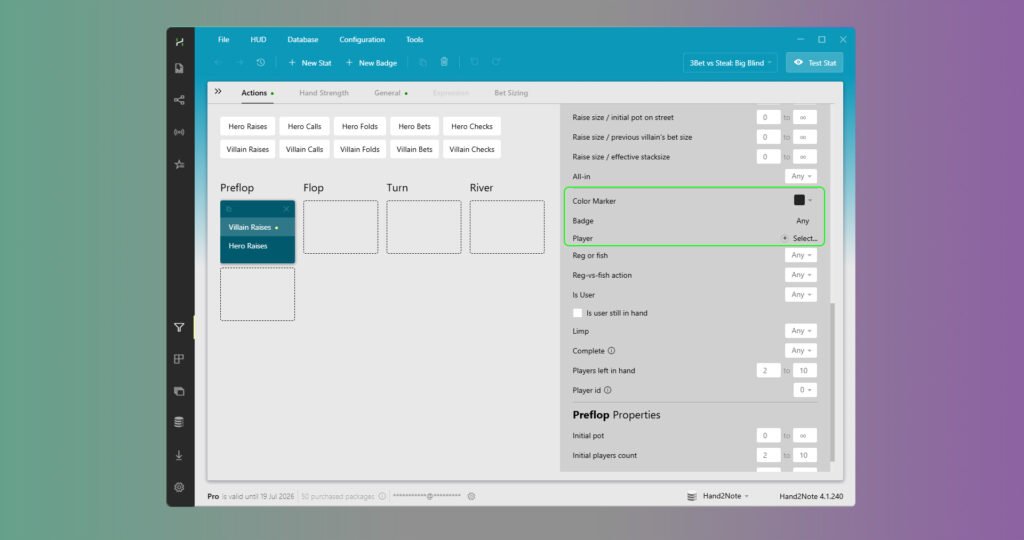
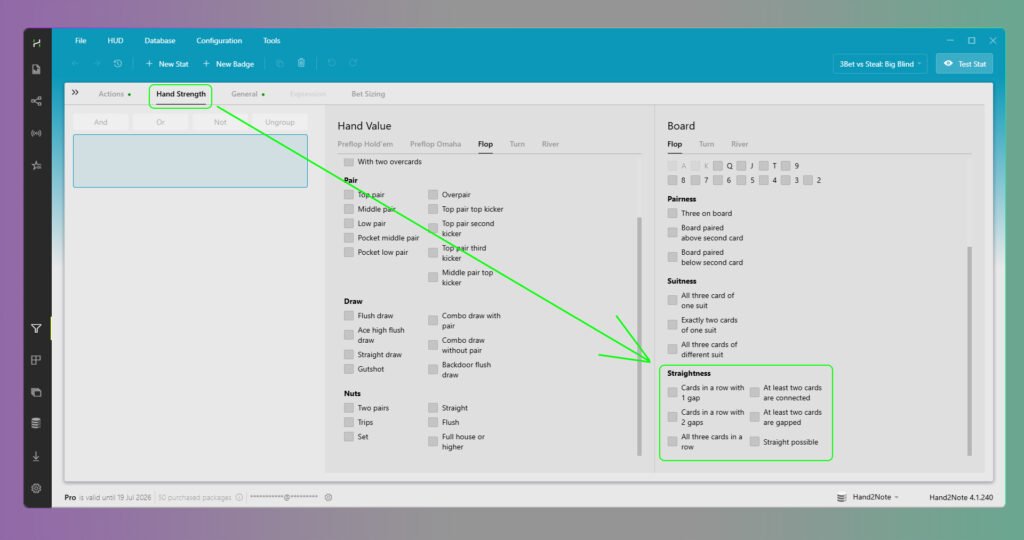
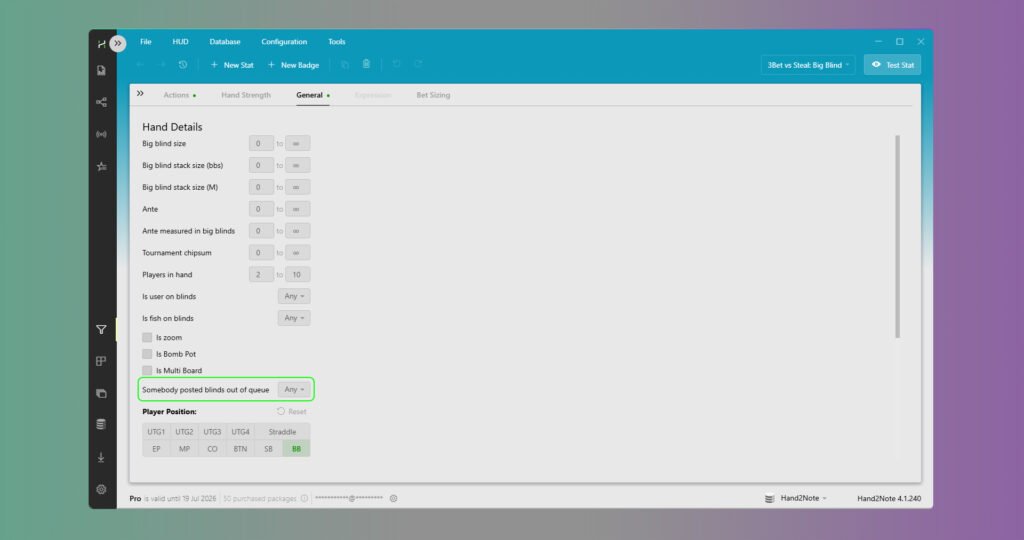
The main innovation is that now in conditions for custom stats, you can specify specific players, their color labels, or badges. This allows you to create highly specialized stats like “C-Bet against fish with a red label” or “3-bet against a specific regular”. Filtering by boards has also been expanded: new types have been added, such as Straight Possible. In the General tab, a parameter has appeared to track situations when someone posted blinds out of turn.
HUD windows have become more convenient
The transparency settings of HUD windows have become more flexible. The new option “Ignore HUD opacity” allows you to set different transparency for two states: when you are not interacting with the HUD window (e.g., a completely transparent window) and when you hover the mouse (here the main HUD transparency setting works). This is convenient: important stats are always visible, but if necessary, you can quickly examine details without losing the table view.
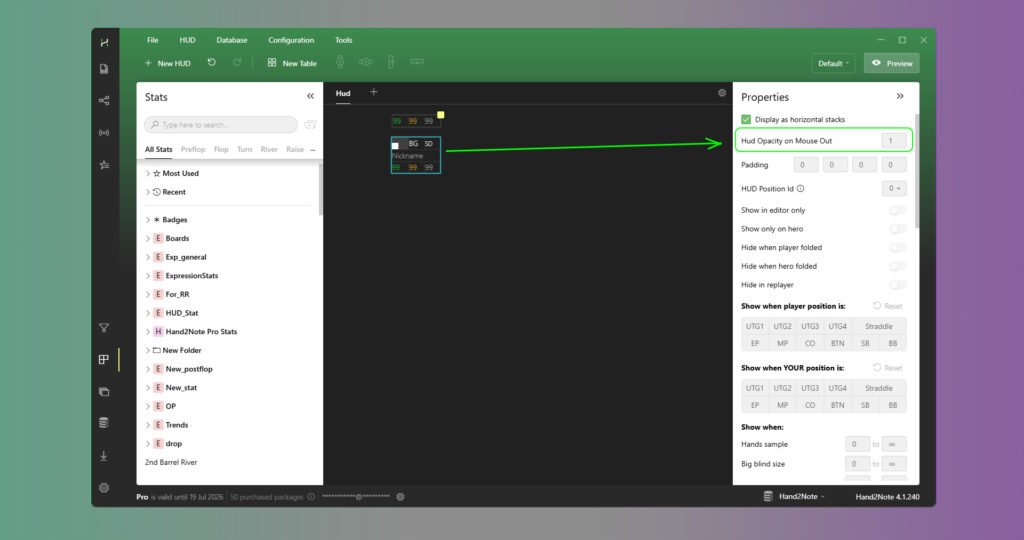
In addition, the performance of the HUD for owners of truly large databases has been optimized.
Preflop range filters for PLO in stat editor
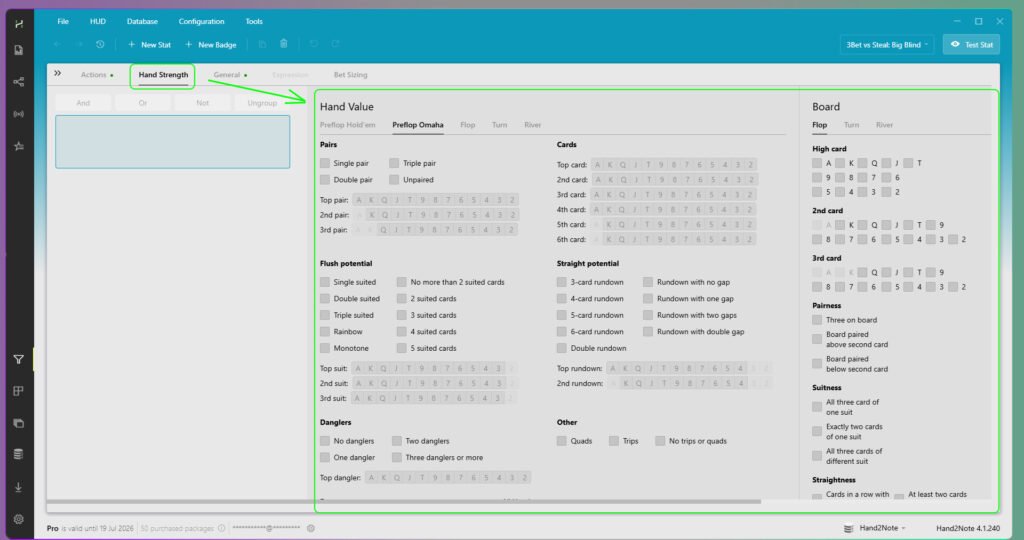
Good news for Omaha players. Now in the stat editor, preflop range filters are available for all major formats: PLO4 (4-card), PLO5 (5-card), and PLO6 (6-card). This allows for creating more accurate custom stats and deeper analysis of opponents’ preflop play, taking into account the specifics of each format.
Improved comfort working with aliases
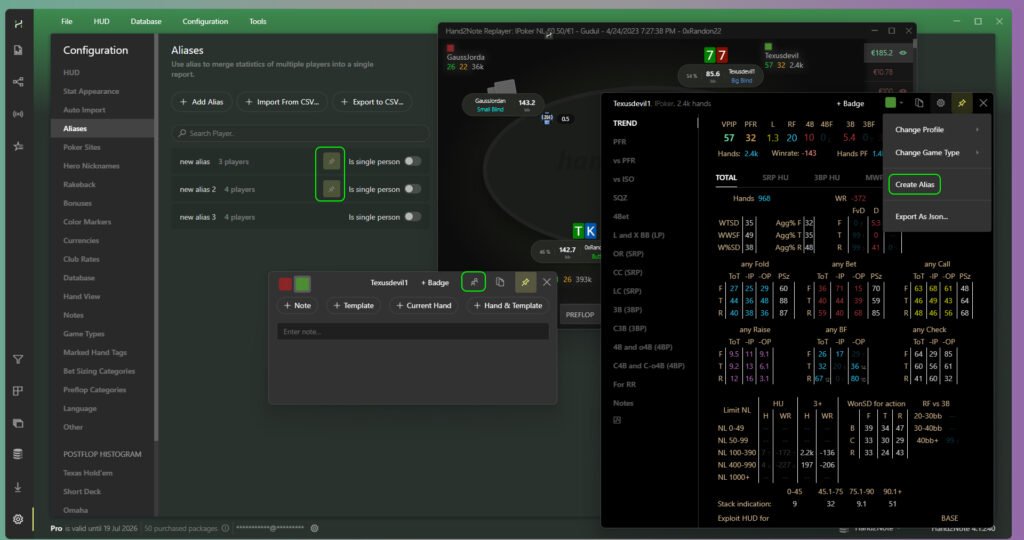
Managing aliases (combining statistics of one player under different nicknames) has become simpler and faster. Firstly, an alias can now be created directly from the player’s popup or the notes window — no need to go into settings. Secondly, in the Configuration → Aliases section, search and pinning of important aliases have been added: no more scrolling through a long list to find the needed combination.
More filters and options in reports
Reports in Hand2Note have become even more powerful. Here are the main innovations:
New game types and formats:
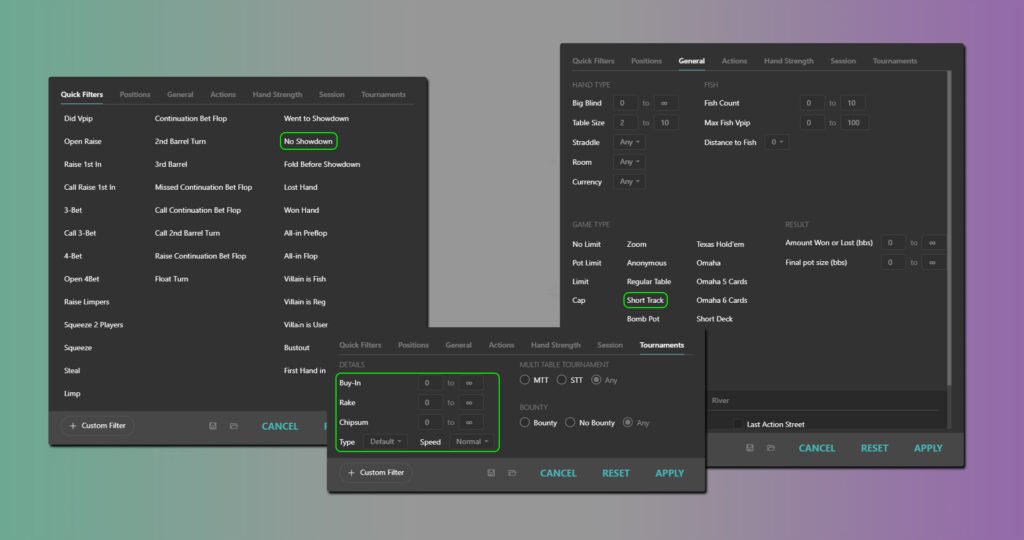
• Added support for Short Track (6+ Hold’em).
• Special Spin & Go Multiplier report for tournament players.
• Effective Stack Size report for analyzing play at different stack depths.
New metrics for analysis:
• Chip EV with filters applied — evaluation of expectations in tournament chips.
• Average Pot Size, ABI (average buy-in), and Rakeback.
• For tournaments, an Expected Profit stat and corresponding graph have been added.
Visualization and filters:
• Distribution of Action Profit in preflop heatmaps and postflop histograms.
• New No Showdown filter (hands that reached showdown or without showdown).
• An important inaccuracy has been fixed: excluding reg-vs-fish hands no longer distorts report results.
In conclusion
In summary, the latest Hand2Note updates have been truly extensive. The developers have addressed old issues (Run it twice, exclusion of reg-vs-fish hands in reports), brought the interface up to the standards of the third version (vertical action, quick replayer), and added dozens of new analytical tools — from advanced metrics like Action Profit to flexible filters in reports and the stat editor. The attention to detail is particularly pleasing: closing windows with a click, Ignore HUD opacity, search by aliases. These are precisely the updates that make an already powerful software even more convenient and in-depth.
It’s important to understand: we have listed only part of the innovations — only those that seemed most significant for the majority of players. In reality, the list of changes is much broader: fixes, optimizations, small but pleasant interface improvements. The main conclusion that can be drawn: Hand2Note is indeed changing for the better, becoming more serious, professional, and convenient.

Latest guides
-
 How to Use Hand2Note on Mac: Complete macOS Guide Oct 5, 2026
 -
 Exploit Basics: Passive Player Profile Apr 9, 2026
 -
 Hand2Note Popup Editor: Creating a Professional Popup Mar 28, 2026
 -
 Hand2Note Pro Pricing Reduced in 2026 Mar 19, 2026
 -
 How to Analyze Fish Ranges: Limp, Limp-Raise, and Limp-Fold Mar 13, 2026
We regularly publish new Hand2Note 4 guides on our Discord server.
Join Discord Server